
Built for South African towing teams
Your whole towing operation.
Under control.
From the first call to the final invoice. Bring your dispatchers, drivers and office together with Towify.
30 days free. No card required.
Less chasing.
More moving.
A job shouldn’t live across phone calls, loose paperwork and yesterday’s messages. Keep the people, progress and paperwork together.
Your ops room
Mission control for your fleet
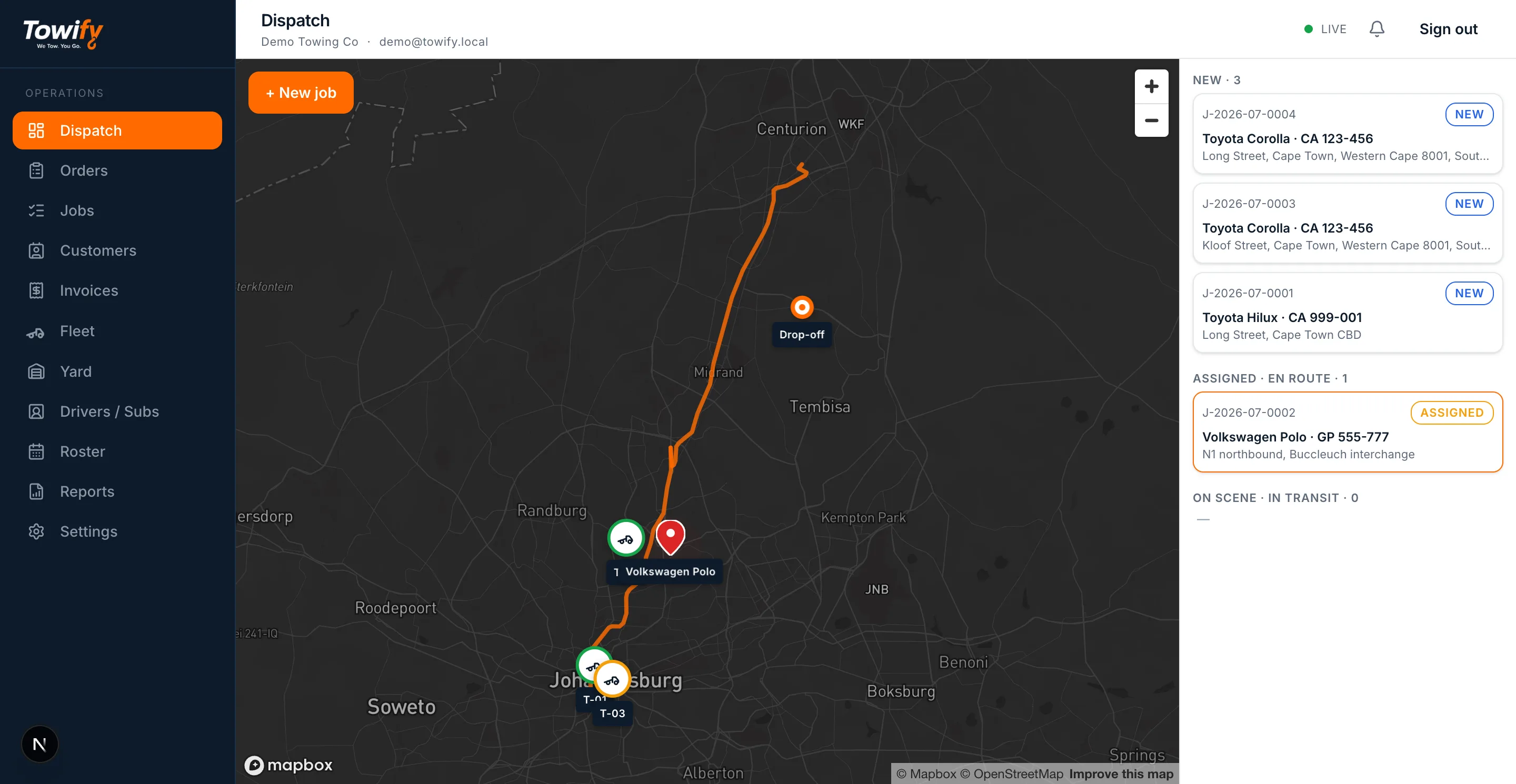
See every truck
Live positions, statuses, and the whole day's work on one screen.
Dispatch in one click
Assign the nearest truck; the driver's phone buzzes before you've put yours down.
Watch it happen
Route, ETA and every status change, live — no 'where are you?' phone calls.
In the truck
Built for the field
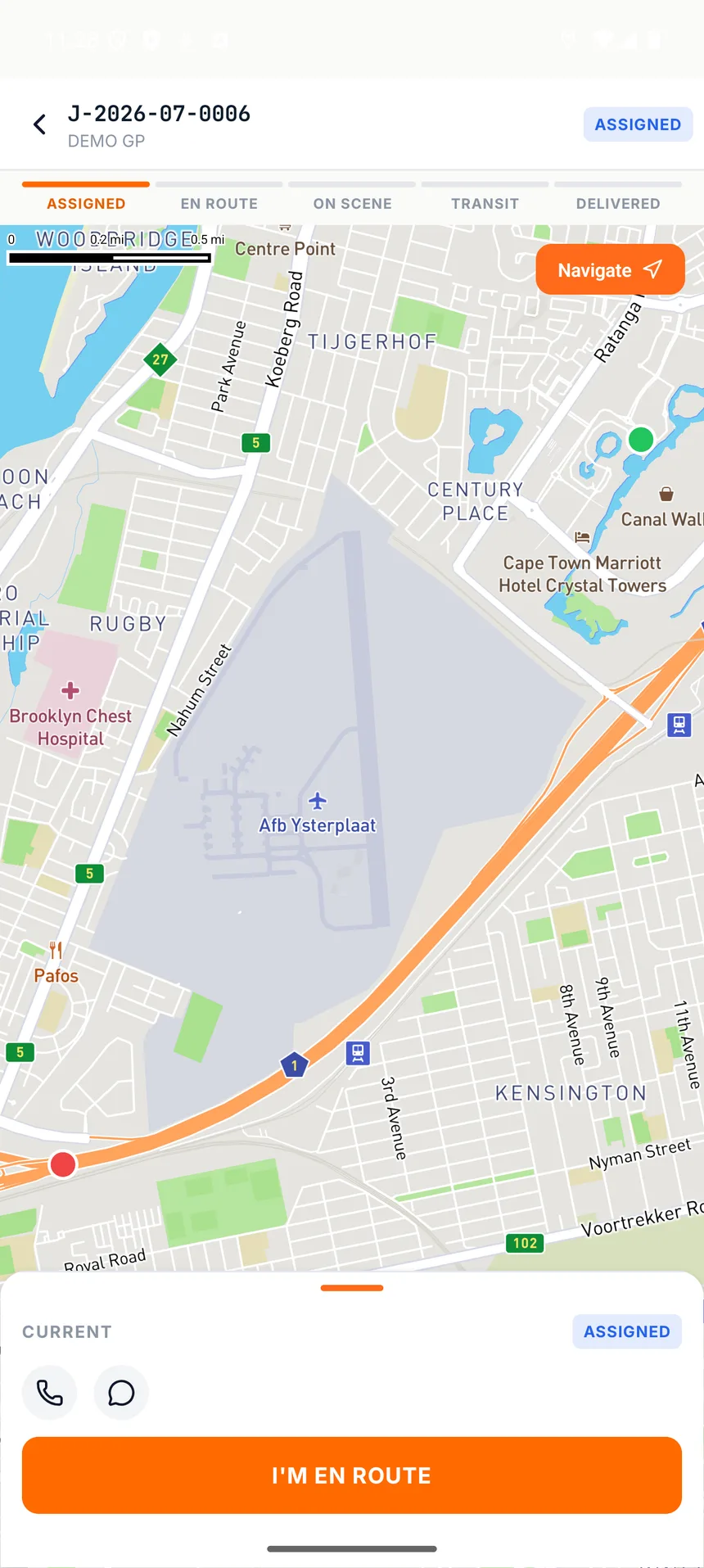
The job finds the driver
Pickup, drop-off, vehicle and contact — everything the driver needs, no radio required.
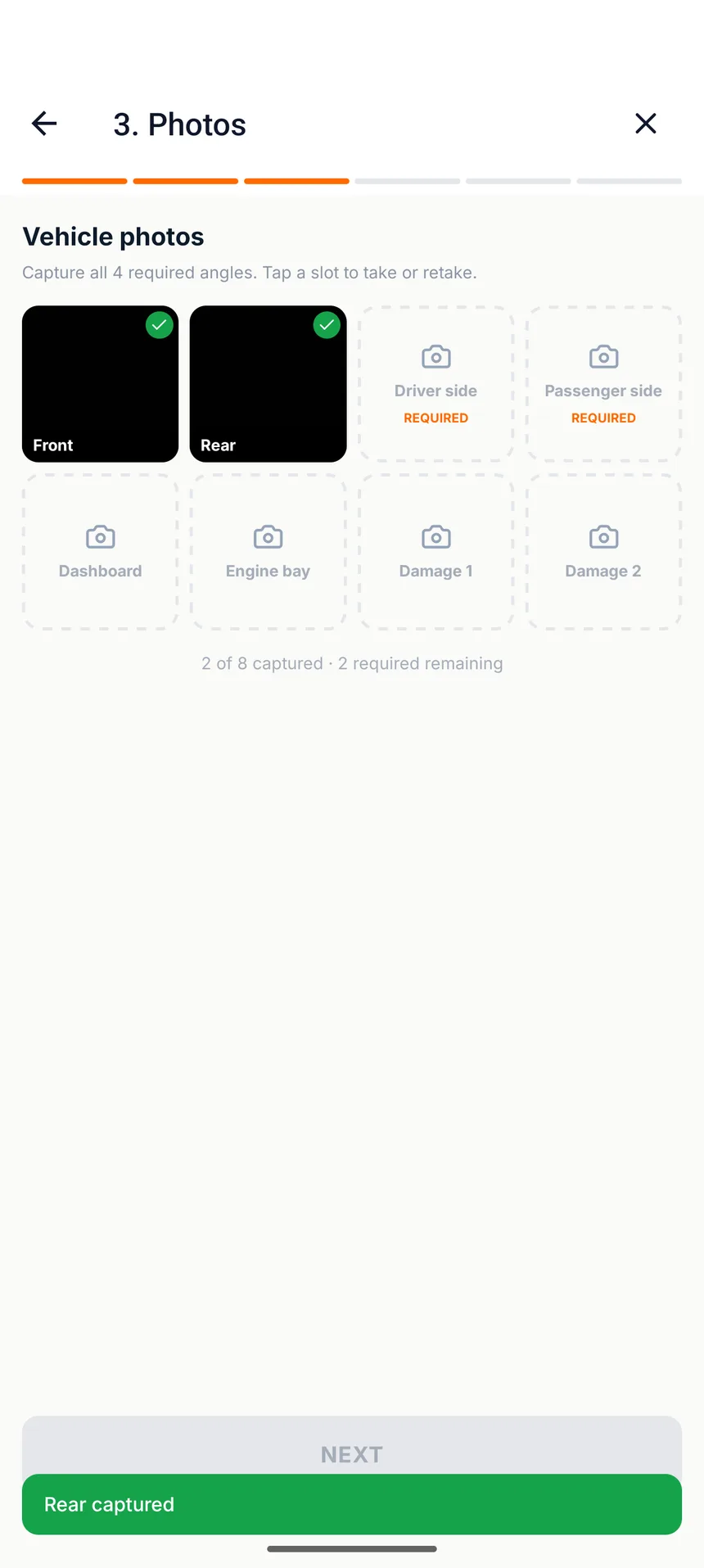
Proof on every job
Photos, inventory and a signature captured at the scene. Keep the record with the job.
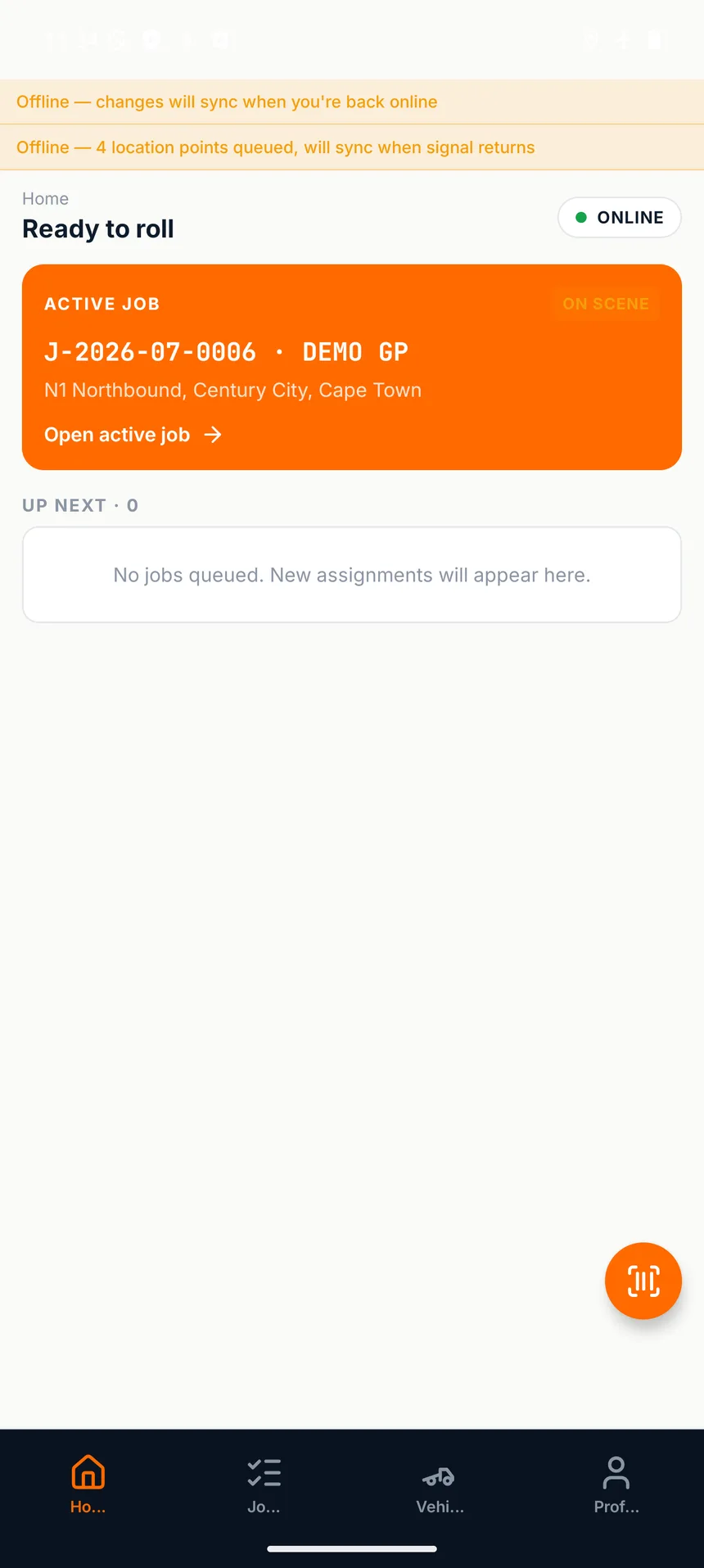
Signal comes and goes. Work doesn't.
Captures and GPS keep recording in dead zones and sync when signal returns.
One job.
A clear path through.
Give every handover a place. Your office sees what has happened, your driver knows what comes next, and the paperwork follows the job.
- 01
Take the call
Capture the customer, vehicle, pickup and destination in one job.
- 02
Send the right truck
Assign the job and put the details directly in your driver’s hands.
- 03
Bring back the proof
Keep photos, inventory and signatures with the job they belong to.
- 04
Get it ready to bill
Bring towing, storage and extra charges together on the invoice.
Beyond the tow
The details matter.
Keep them connected.
Recovery is only part of the work. Towify helps you keep track of what happens at the yard, at the gate and back in accounts.
Find the fit for your teamKnow what’s in your yard
Track storage periods, daily charges and vehicle release records.
Keep the claim details close
Keep vehicle registrations, claim references and supporting records together.
Make the handover to accounts easier
Prepare invoices from recorded work and connect your accounting package.
Towify Collections
Keep the conversation
with the invoice.
Follow up on outstanding Towify balances from your organisation’s mailbox. Keep invoice references, customer replies and the next step together, with AI assistance and controls for your accounts team.
Connect a dedicated collections mailbox in Settings. Microsoft 365 mailboxes connect with one-click Microsoft sign-in. Any other mailbox connects with its mail server details, including Gmail and Google Workspace with a Google app password. One-click Google sign-in is coming soon.
Bring replies into view
Read imported correspondence alongside collection cases. A dedicated mailbox keeps unrelated personal and business email out of this workflow.
Follow up with context
When AI is enabled, email text and relevant conversation and invoice details are shared with OpenAI to interpret payment promises, identify issues and prepare responses.
Choose how the agent works
Review drafts or enable automatic sending with verified recipients, sending hours and follow-up limits. Disputes and reported payments pause reminders for review; email replies do not change the recorded balance. Sending needs separate permission and setup.
One shared picture.
For everyone on the job.
Owners & managers
See the work, your fleet and the numbers behind the operation.
Dispatchers & office teams
Coordinate jobs and keep the details moving from intake to invoicing.
Drivers & yard teams
Record what happens where it happens, with an offline-first driver app.
Mobile apps
Towify in your pocket.
Two free apps that sign in with your Towify account. Your company invites you from the console; there is nothing extra to pay.
Towify Driver
For drivers. Receive jobs, navigate to the pickup, capture photos, inventory and signatures, and keep working when the signal drops.
Towify Pulse
For owners. Revenue, jobs, money owed and vehicles in your yard, at a glance from anywhere.
Pricing that grows with your team
Start with your team.
Room to grow.
One monthly subscription per user, including owners, dispatchers, drivers and gate staff. Additional users move into lower-priced bands as your team grows.
Start your 30-day trialNo card required. Onboarding support included.
| Team band | Per user / month |
|---|---|
| First 10 usersUsers 1–10 | R299 |
| Next 15 usersUsers 11–25 | R249 |
| Next 25 usersUsers 26–50 | R199 |
| Beyond 50Users 51+ | R169 |
Each rate applies only to users in that band. For example, 12 users cost R3,488 per month excluding VAT: 10 at R299 and 2 at R249.
Is Towify only for large fleets?
No. Towify is built for owner operators as well as teams with dispatchers, drivers and yard staff. Pricing is per user, with lower rates for additional users as your team grows.
What happens when a driver loses signal?
The driver app saves captures on the device and syncs them when a connection returns. The office receives those updates after they sync, so a signal gap does not mean losing the job’s photos and records.
Can I use my existing accounting software?
Towify has accounting connections for Xero, Sage Business Cloud, QuickBooks Online and Zoho Books. Connect your organisation’s account in Settings. Available sync functions depend on the provider.
Can I connect Gmail for collections?
Yes. Towify Collections connects a dedicated mailbox in Settings. Microsoft 365 mailboxes connect with one-click Microsoft sign-in; any other mailbox connects through its mail server settings (IMAP and SMTP), and a Gmail or Google Workspace mailbox works this way with a Google app password. It brings correspondence into your organisation’s Collections inbox and can help interpret replies and prepare follow-ups. One-click Google sign-in is coming soon.
Do I need a card to try it?
No card is required for the 30-day free trial. You can explore the platform before starting a paid subscription, and onboarding support is available.
What happens when the trial ends?
Subscribe from Settings › Billing at any time. Subscribing during the trial doesn’t cut it short: your first charge is on the day the trial ends. If the trial ends without a subscription, your account becomes read-only: new work is paused, but jobs already under way can be finished and vehicles released from storage. Nothing is deleted, and full access returns as soon as you subscribe.
Is there a mobile app?
Two. Towify Driver is for drivers on the road: jobs, navigation, photos, inventory and signatures, and it keeps working when signal drops. Towify Pulse is for owners: revenue, jobs, money owed and the yard at a glance. Both are free to download on Google Play and use your Towify login; the iPhone versions are coming to the App Store.
How does cancellation work?
You can cancel your subscription at any time. Your access continues until the end of the current billing period. See the terms and refund policy below for the full details.
Built around the work you do.